🚀 Getting Started
How to launch Maestro, enable the chains you want to trade on, and find the DEXs and launchpads supported on each.
Starting the Bot
To begin, head to Maestro Bot and click on "Start". The bot will reply to you with a Captcha that you need to solve for verification as shown in the example below:
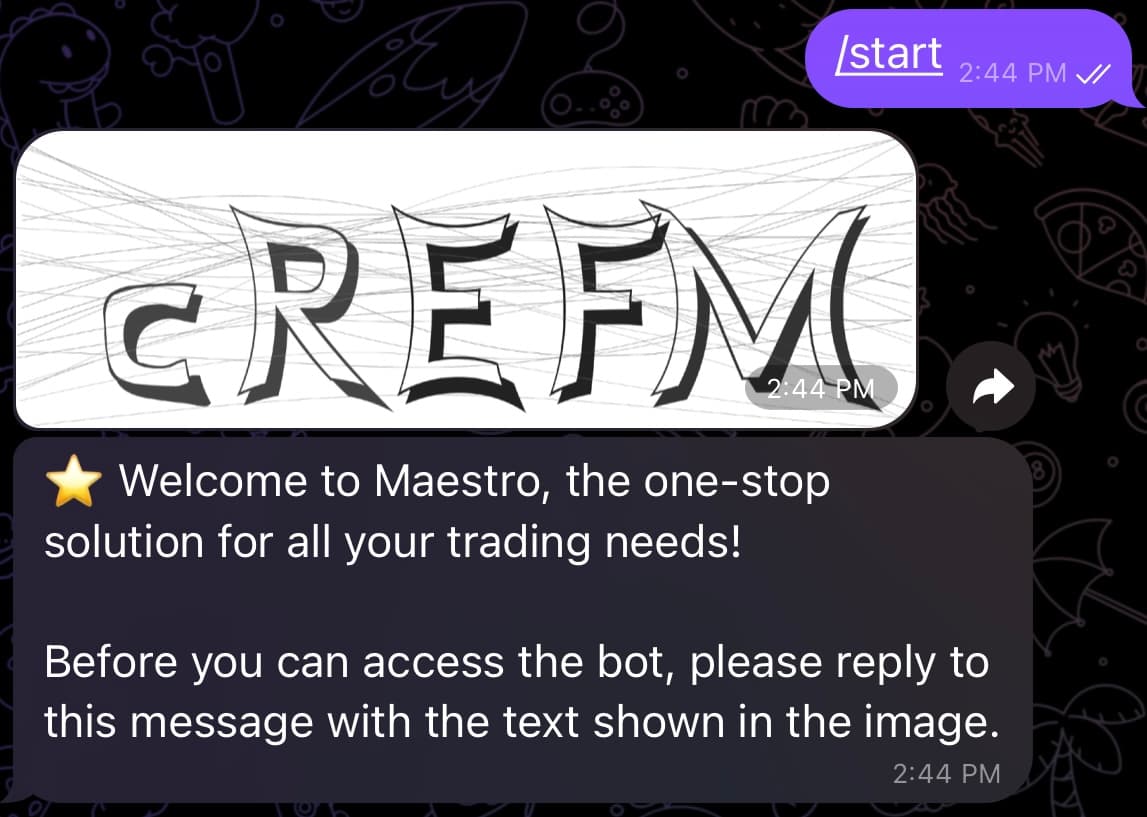
Next, reply to the welcome message with the Captcha solution to complete the verification process. If the verification fails, the bot will give you three more attempts. After that, the bot will go idle for a minute and you can only re-trigger the verification process after that minute passes by sending /start in your DMs with the bot. Once verification is successful, the bot will reply to you with the following message:
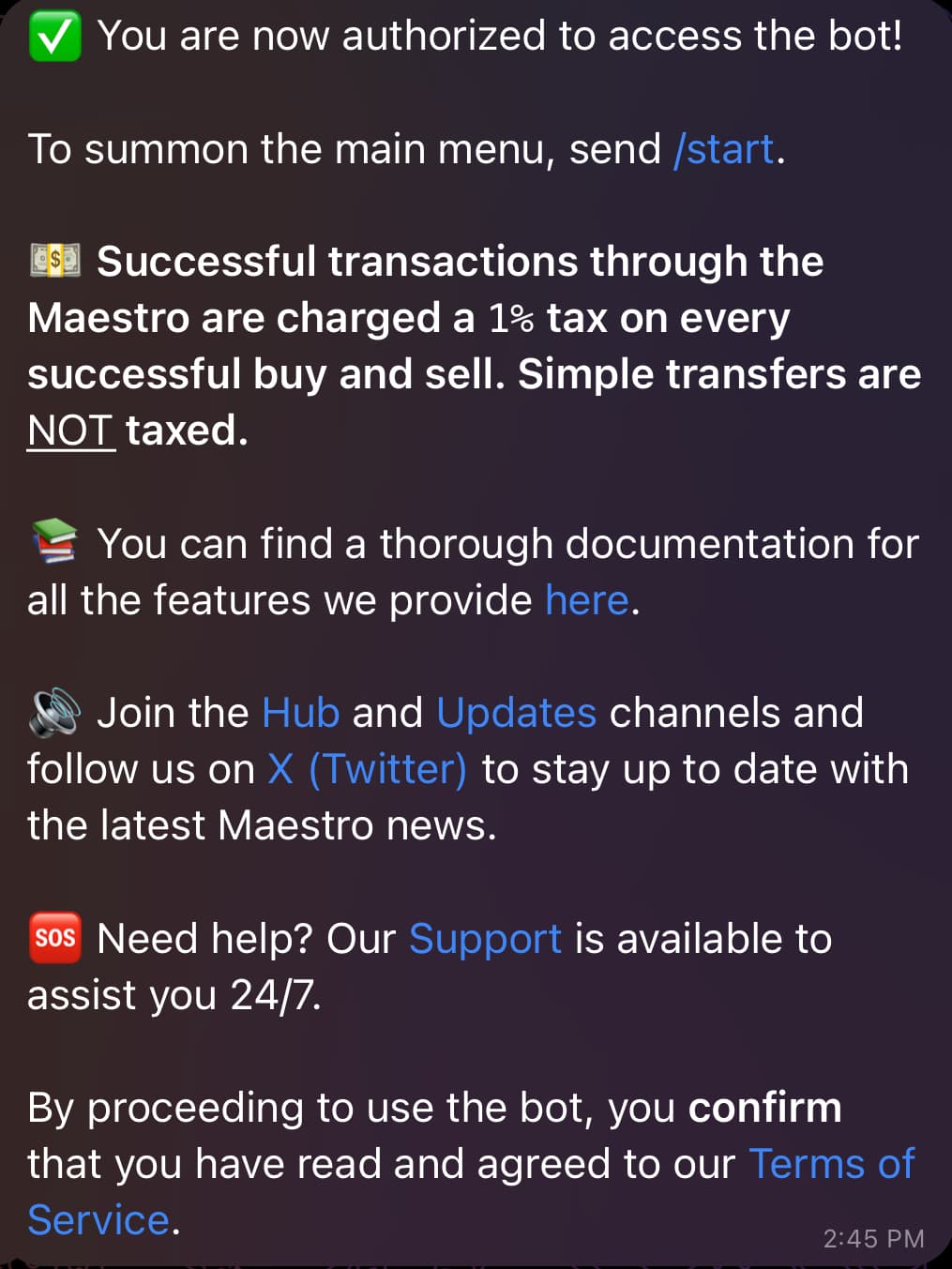
As the message states, you can now proceed to send /start in your DMs with the bot to spawn the main menu displayed below:
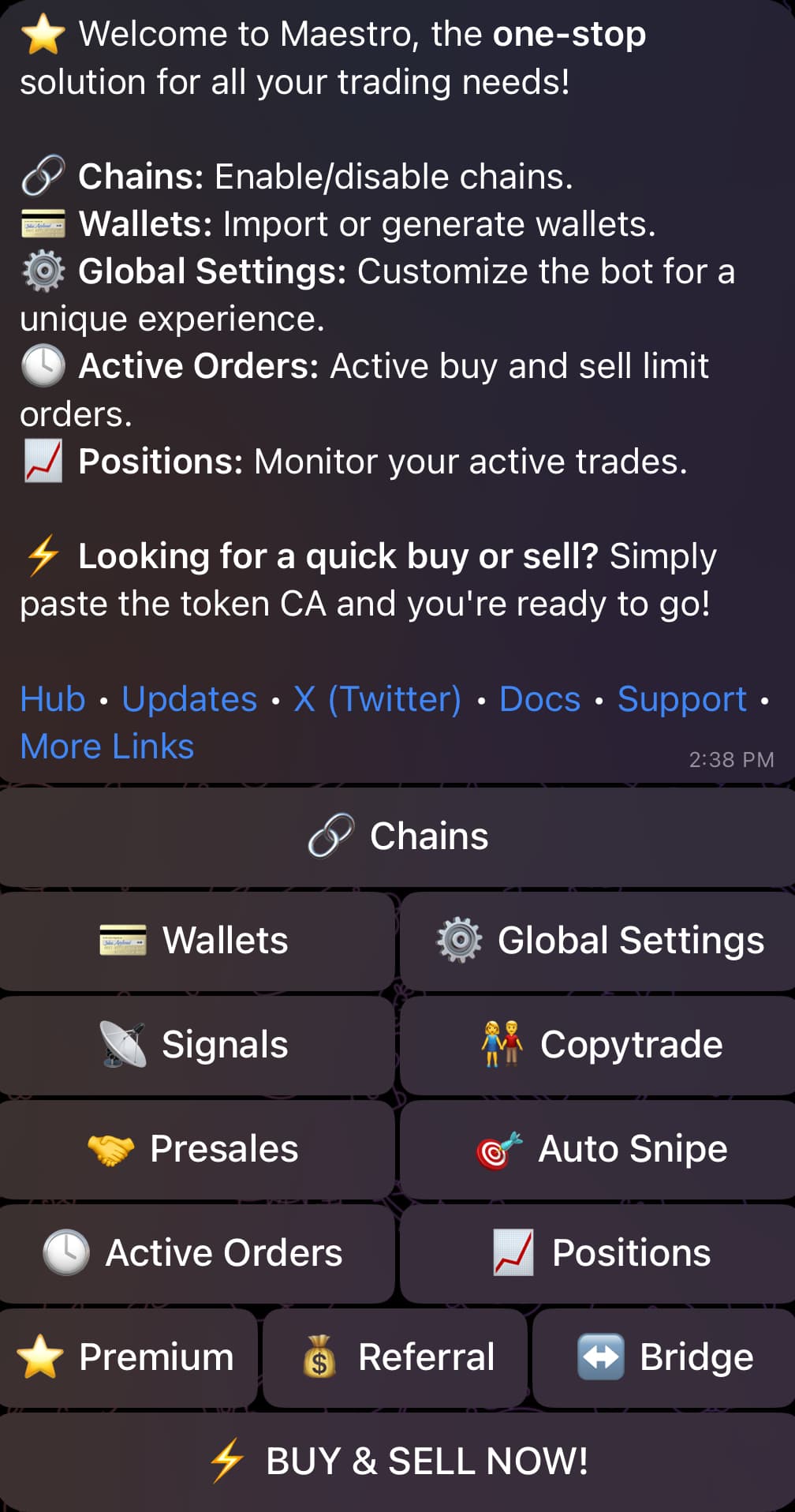
From here, the main buttons are:
- 🔗 Chains — enable or disable chains and set up their wallets.
- 💳 Wallets — import or generate wallets for each enabled chain.
- ⚙️ Global Settings — configure gas, slippage and trade defaults that apply across your wallets.
- 📡 Signals, 👫 Copytrade, 🎯 Auto Snipe — the bot's automated trading modes.
- 🕓 Active Orders and 📈 Positions — check your active limit orders and monitored trades.
- ↔️ Bridge — cross-chain swaps powered by deBridge.
- ⭐️ Premium — upgrade to Premium for higher limits and exclusive features.
- 💰 Referral (and 💸 Cashback, when active) — earn from referrals and claim rebates on your trading fees.
- ⚡ BUY & SELL NOW! — paste a contract address to open the token's trade panel.
Enabling/Disabling Chains
By selecting 🔗 Chains from the Main Menu, you can enable or disable chains based on your preference as shown in the figure below. Alternatively, you can reach this menu by sending the command /chains in your DMs with the bot. The bot currently supports eleven chains: Solana, BNB Smart Chain (BSC), Base, Ethereum, Monad, Sonic, Avalanche, Arbitrum, Hyper EVM, Tron (TRX) and TON. By default, these chains are displayed as options for each of the bot's functionalities, but you can limit this to your chains of interest by disabling chains that you don't currently trade on. In addition, you have the option to import an existing wallet or generate a new one by clicking on the "💳 Wallets" button which appears next to each chain, as shown below. We go over the process of setting up a wallet in detail in Section 2.
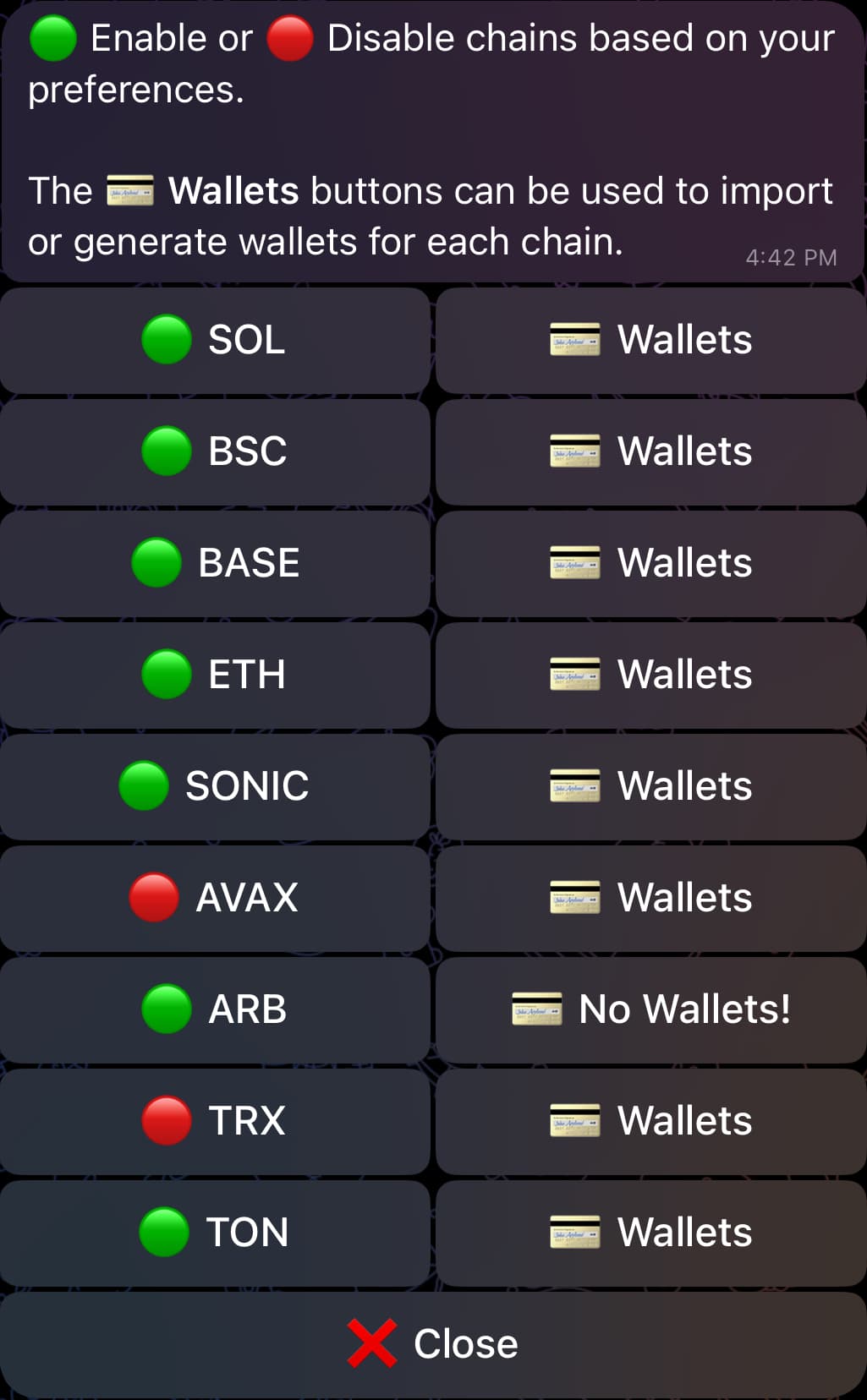
With the exception of _TON**, **Solana_ and _Tron_, all the remaining supported chains will be referred to as "EVM-compatible chains" throughout this documentation.
Supported DEXs and Launchpads
For each chain, the bot currently supports the following DEXs and launchpads:
| Chain | Supported DEXs and Launchpads |
|---|---|
| Solana | Raydium (V4, CP, CLMM) | Raydium LaunchLab | Jupiter | Meteora (DLMM, DAMM v2) | Pump.Fun | Moonshot | BoopFun | Heaven | Whirlpool | FluxBeam | Virtuals | Dynamic Bonding Curve |
| BSC | Pancakeswap V2 | Pancakeswap V3 | Uniswap V2 | Uniswap V3 | Uniswap V4 | SushiSwap | FourMeme / SpringBoard |
| Base | Uniswap V2 | Uniswap V3 | Uniswap V4 | SushiSwap V2 | Aerodrome V2 | Aerodrome Slipstream V3 | Virtuals |
| Ethereum | Uniswap V2 | Uniswap V3 | Uniswap V4 | SushiSwap V2 | SushiSwap V3 | Printr | Virtuals |
| Monad | Uniswap V3 |
| Sonic | Uniswap V2 | Uniswap V3 |
| Avalanche | Uniswap V2 | Uniswap V3 | Trader Joe V1 | Trader Joe V2.1 |
| Arbitrum | Uniswap V3 | SushiSwap V2 | Camelot |
| Hyper EVM | Uniswap V2 | Uniswap V3 |
| Tron | SunSwap V2 | SunSwap V3 | PancakeSwap V3 | SunPump |
| TON | DeDust V2 | STON.fi |
On Solana specifically, the bot can also route trades through AMMs that aren't listed above — so in practice most SPL token pools remain tradable even if the underlying protocol doesn't appear in the list.
Introduction
Welcome to the Maestro Bot Manual. Over the course of this document, we will outline the bot’s vast set of powerful yet accessible functionalities.
💲 Wallet Setup
This section will help you set up your wallets in the bot. This is a necessary step for Signals, Copytrade and Auto Snipe, as well as for manual trading through the bot.